Choose VPS or dedicated servers by location, resources and workload.

































Explore servers, hosting and tools for your project.




A server is only one part of keeping an application available. You also need to know where its data can be recovered, who can authorize a change and how to check that the next destination is actually ready.
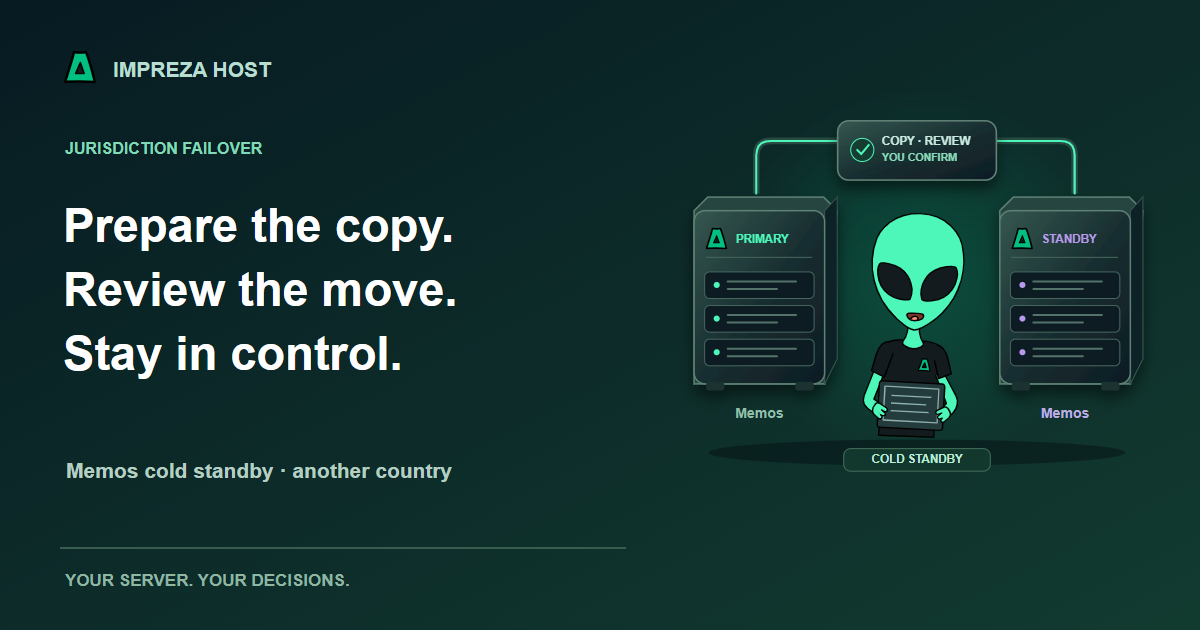
Impreza now brings those decisions into Jurisdiction Failover: a workflow for preparing a supported app on a second server in another country, verifying its restored copy and reviewing the change before traffic moves. The initial catalog workflow supports Memos 0.31.0 with an Impreza-managed hostname.
Imagine your notes app running on one server, with a second Memos deployment waiting on another server you own. You take a backup, restore it to that standby and check the result. The platform keeps the app identities, reported countries and verified copy together so you can review a specific recovery path.
When you decide to move, the review shows the destination, backup age and planned interruption. Preparing the review changes no traffic. Applying it requires a separate confirmation.
This is a cold standby. It uses a completed backup rather than continuously copying new writes. Anything written after the backup can be lost, and moving traffic can interrupt service. A second server is useful only when its recovery copy and the change procedure are understood.
During the supported switch, the old primary is prevented from writing and serving through its managed route before the restored destination becomes active. The platform checks the destination, moves the managed hostname and verifies the result. You can follow the saved outcome rather than guessing from an accepted request.
If the source cannot acknowledge that stop, the destination waits. A lost source needs operator assistance; the workflow does not start a competing writer just because a server fails a health check.
Recovery sits alongside the choices you already make for access and protection. Compatible apps can publish through Tor, use authorized-client access where supported and apply Impreza Shield v2 policies that you review and tune. An onion address and a protection policy solve different problems, and neither replaces a usable backup.
The initial failover workflow can carry a supported public onion route alongside the managed hostname. Private onions with authorized clients and customer-owned domains are outside this first release. Check compatibility before treating your app as ready for a move.
My Apps, the API and supported MCP connections expose the reviewed workflow. Your assistant can help inspect the pair and explain a proposed change within the permissions you grant. You still decide which write operations to authorize and can require human approval for selected actions.
Other recent improvements make the first steps easier: eligible Impreza VPS services ordered with No app can install the Agent from the panel; project pages bring existing apps and environments together; supported inventory and diagnostics help explain a problem before you choose a repair. Capacity recommendations can suggest a VPS increase and show a quote without buying it for you.
Both servers remain separate services. A declared country is not a guarantee about legal obligations; external-server countries are declared by their owner. Review the service terms, backup requirements and your application’s dependencies before relying on the workflow.
Follow the Memos failover guide, read the current technical limits or open My Apps. Already have a compatible server elsewhere? Connect your own server and plan app migration separately.