Whether Offshore or Surface, we have it all, a lot of Server
options for various types of use!

































Main sales at Impreza Host,
get the solution that works for you




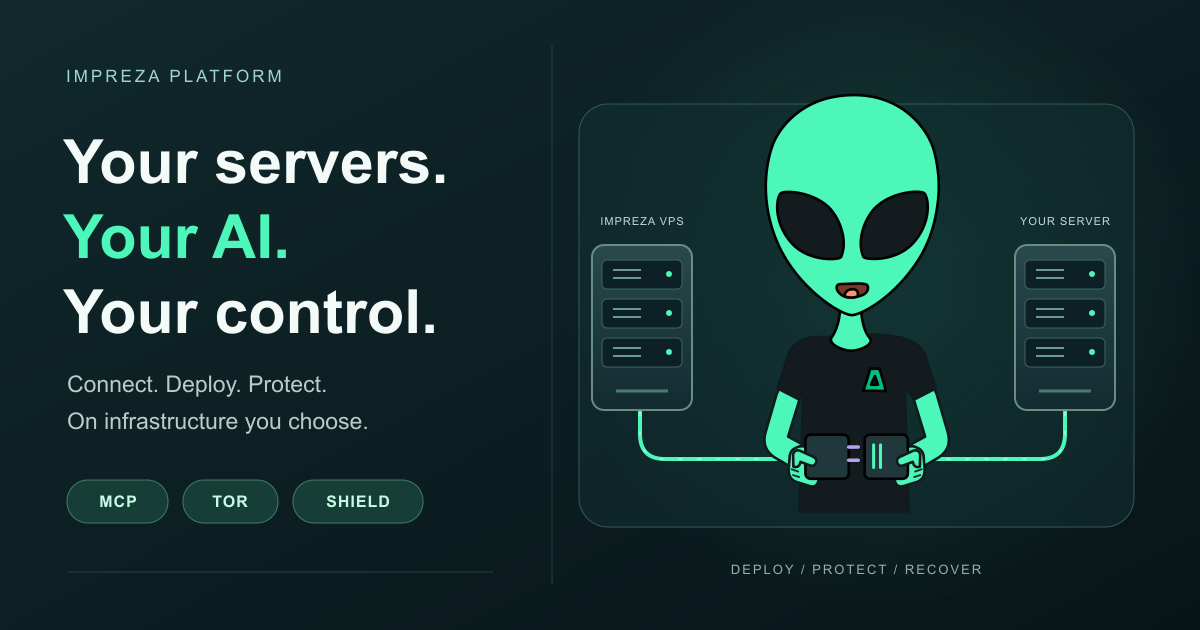
You may already use an AI assistant to write code. The next step is letting it work with the infrastructure that runs that code, while you decide which servers, applications and actions it can access.
Impreza connects that workflow through My Apps, its REST API and MCP, the Model Context Protocol used by compatible AI tools. You can provision an Impreza VPS or connect a compatible server you already rent elsewhere. From there, supported workflows cover catalog apps, custom deployments, staging and production, application protection and recovery.
The latest additions make that workflow more useful: Impreza Shield, environment configuration and ordered deployments, PostgreSQL point-in-time recovery, and extended spending and resource limits for delegated agents. Together with native Tor integration, they give you more ways to choose how your infrastructure is accessed and operated.
If you need a new server, the Impreza VPS configurator lets you choose a location, operating system, CPU, memory, storage and initial application. Review the quoted price and available capacity before ordering through the portal or supported AI workflow. Eligible configurable VPS services can later add CPU, memory or storage after you review the prorated quote. CPU and memory changes take effect after a reboot through the service controls.
If you already have a suitable server with another provider, you can connect it to Impreza instead. Install and register the Impreza Agent using the supported setup for that machine, then manage supported catalog and custom app deployments from the platform.
This gives you a way to use Impreza’s application and AI workflows on infrastructure you already control. Registration itself does not transfer existing applications or data. Plan a migration separately when you want to move an existing workload into a managed deployment.
Check the supported setup in Bring your own server to Impreza and follow Connect your own server. For a new VPS, see Order a VPS.
MCP gives a compatible assistant access to defined tools. Instead of only describing how to deploy a project, the assistant can call the supported Impreza tools to inspect your services, prepare a deployment and follow its result.
For a remote MCP client that supports the required OAuth flow, add the hosted connector at https://mcp.imprezahost.com/mcp. Sign in to your Impreza account and review the requested permissions. The client receives an authorized access token rather than your account password. Grant only the access needed for the work.
The local Impreza MCP client also supports workflows such as uploading a project folder from your computer. Available actions depend on the client, granted permissions, server capabilities and operation involved. Choose the connection method that matches your workflow using Connect an AI tool to Impreza.
Start with a read-only request: “Show my connected servers and applications, and summarize their current status.” Review what the assistant can see before granting permissions to change anything.
Tor integration covers more than an onion address for a website. Impreza provides official onion endpoints for the customer portal, REST API, hosted MCP and documentation. A compatible client can connect to the platform through Tor, while eligible application workflows can publish persistent onion services or temporary branch previews.
For a Tor-capable MCP client, use the official hosted MCP onion endpoint. Read the official addresses and Tor connection guidance for the portal, API, documentation and OAuth requirements. A regular browser or a client without Tor transport cannot use these endpoints directly.
When an onion application should be limited to selected people, configure Tor client authorization. An onion address alone does not restrict visitors. Supported identity workflows let you export an encrypted recovery package and manage the service identity, so access and recovery can be planned alongside deployment.
Tor transport is configured for specific platform and application connections. It does not automatically route every dependency download, image pull or other server connection through Tor. Follow the onion deployment guide and the access and identity documentation for the operation you need.
A deployed web application needs a way to respond to abusive requests as well as a working URL. Impreza Shield adds a protection layer at the managed application proxy, including eligible onion routes.
Shield combines a web application firewall with browser proof-of-work challenges and request limits. The standard profile observes WAF matches and never blocks. Hardened and max add challenges and limits; the WAF continues to observe until you review the behavior and explicitly activate blocking. You can return to observation mode if a legitimate workflow is affected.
The proof-of-work page is self-contained and uses no third-party CAPTCHA. Shield’s privacy model keeps visitor IP addresses out of its logs and exported telemetry, using aggregate counters for challenges, rate-limited requests and other outcomes. Your own application may still have its own logging behavior, which you should review separately.
Shield addresses HTTP-level abuse. It does not prevent an attack from saturating the server’s network uplink. For supported custom applications, use the Shield card in App settings or the supported MCP tool to select a profile. Read Impreza Shield protection before enabling enforcement.
As an application grows, its configuration and dependencies matter as much as its container image. A web service may depend on a worker, cache and database, and production should not inherit a staging setting by accident.
Impreza projects and environments group related components. Variable groups apply configuration at project, environment and application levels. The My Apps interface lets you edit groups, keep saved secrets without exposing their values, review configuration promotion and follow ordered environment deployments.
Ordered deployments stage dependent components in sequence and check their startup health before continuing where required. Reviewed configuration promotion shows the change before you apply it. Configuration promotion does not migrate database contents or automatically prove that the application behaves correctly. Review schema and data changes as part of your release.
Use Set up staging and production for the workflow and projects and environments for the available panel, API and MCP actions.
A useful deployment workflow also gives you a way to inspect failures and recover data. App metrics, alerts and log chunks help you understand what is happening. Proxy metrics on supported servers add request counts, response classes, latency and Shield outcomes without exporting visitor identity.
Eligible managed PostgreSQL databases support point-in-time recovery. Configure the required Impreza S3 backup storage and archive base backups and WAL, PostgreSQL’s write-ahead log. You can then review a recoverable time, restore into a new database and inspect the result before changing the application’s connection. The live database is preserved during the restore, and the available recovery point depends on the data already archived.
For AI operations, delegated credentials can carry daily and monthly spending ceilings and quotas for servers, deployments, previews and concurrent builds. An agent remains within its granted permissions and limits. Activity records and an exportable audit extract help you review its work. Existing accounts and credentials do not acquire new ceilings automatically; choose the limits that fit your use.
Follow Restore PostgreSQL to a point in time, Monitor app metrics and alerts and Delegate app access to an AI agent for these workflows.
You do not need to adopt every capability at once. Connect your assistant with read access, register an eligible server or configure a new VPS, then deploy one application. Add the access controls, Shield profile, environment structure and recovery settings that application needs.
Recent supporting additions include PrivateBin for browser-encrypted pastes, TLS on new Redis deployments and signed updates for the Impreza Agent. Existing servers may require an explicit agent update for newer capabilities. Installing a newer MCP client alone does not update the server.
Visit Deploy with AI to choose your connection path, open My Apps to manage your applications, or explore bringing your own server. You choose the infrastructure, the access model and the authority your AI receives.