















































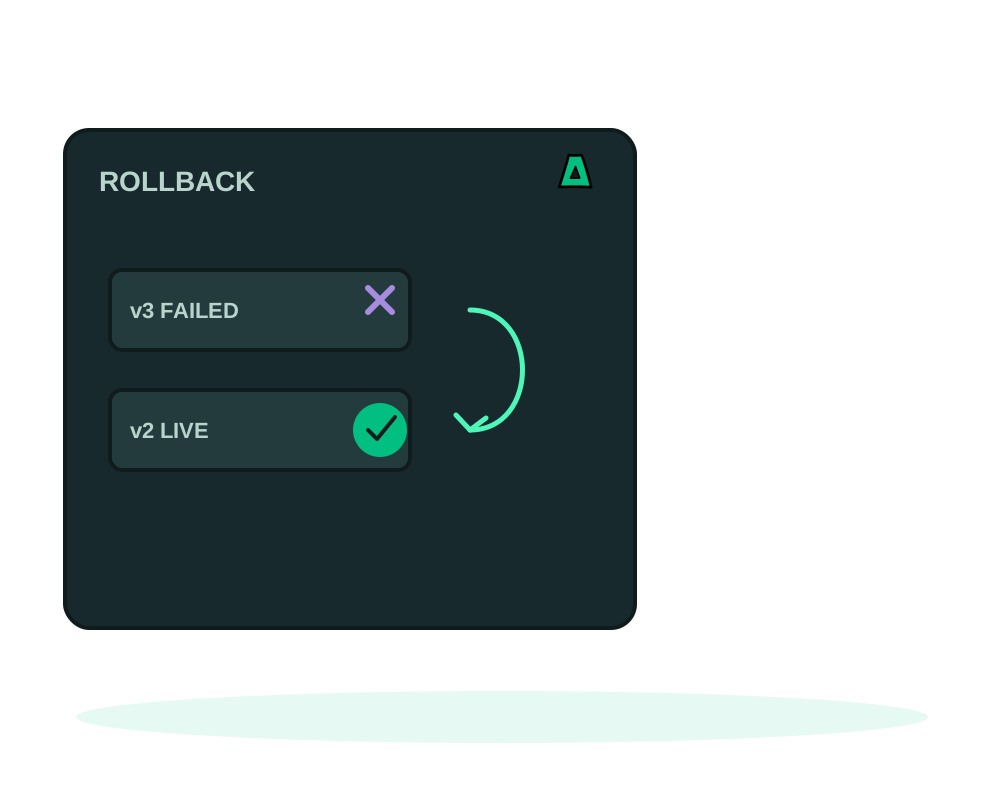
Deployments fail. A dependency changes, a migration is missing, an environment variable is wrong. What matters is whether the failure takes your running app down with it, and how much of the damage you can undo.
This guide covers the four controls that exist for that on Impreza, and is deliberate about their limits. None of them is a substitute for a backup.
What you get
- A health requirement that makes an unhealthy release count as a failure instead of a success
- Progress you can read: the named step the deployment is on, and a recorded history
- Cancellation while the work is still safe to stop
- Release history and manual rollback to a retained previous release
- Runtime health reported separately from the result of the last operation
Stop a bad release from being called good
By default, a deployment that starts its containers is treated as done. require_healthy_start changes that: the release only succeeds once your healthcheck_path answers 2xx, with no redirect, on the target port. It applies to the first install too, which is where the silent failures usually hide.
When a first install never becomes healthy, its containers are removed and its volumes are preserved. When a replacement fails, an eligible healthy previous release can be recovered. Requiring health needs agent 0.6.3 or newer, and it needs an explicit health path: there is no useful default for a route that means “ready”.
Read what is actually happening
Two different questions have two different answers, and mixing them up is the most common mistake.
The last operation tells you how the most recent deploy ended. Runtime health tells you what the containers are doing right now, which needs agent 0.6.4 or newer. A deployment can report success while the app is unhealthy, and it can report failure while the previous release keeps serving traffic perfectly.
Progress reporting, from agent 0.6.6 onward, gives you the named step the deployment is on, along with a bounded history of the steps it passed. It is a step, not a live percentage: nothing here estimates a finish time. If the agent restarts mid deploy, the saved result can still be read afterwards, and a guarded recovery path exists for a host reboot.
Keep a failed new version away from traffic
For eligible custom web apps on Agent 0.6.27 or later, an optional redeploy checks the new version before moving the managed route. If the new version never becomes ready, the previous one keeps serving. Read the final outcome and confirm the current route before retrying; a cleanup or recovery warning still needs review.
With Agent 0.6.30 or later, that prepared swap no longer reloads the managed proxy to move traffic. The replacement is checked before the old container stops. For Git redeploys, the build-context exchange preserves the previous directory and restores it if the exchange fails between its two renames. Read the result before retrying; these protections do not reverse shared-data changes or replace a backup.
See redeploying after readiness checks for eligibility and the proxy-only access change. This does not restore modified database data, apply to every app topology or guarantee zero dropped requests.
When an interrupted operation cannot continue
Agent 0.6.26 reports a readable failed result when an interrupted operation cannot continue and will not be repeated. If preparation recovery was verified, the result explains what was restored. If it could not be verified, the result says so and asks you to retry explicitly. A stopped deployment worker that leaves no final result no longer keeps later commands for that server waiting.
Before retrying, read the original command’s final result and check the app’s current runtime health. Do not assume that a missing response means nothing changed. If the result requires recovery review, keep the command ID and contact support before repeating a change to important data.
Existing servers need an explicit Agent update for this behavior. It does not guarantee that every interrupted deployment can be recovered or that a retry will succeed.
Follow the reported next step
For recognized failure types, current API and MCP responses include a readable error code and suggested next steps. Read the original operation and current runtime first, then select the smallest supported action. A permission error needs the right authorized connection; a missing backup needs a real recovery point. Repeated requests do not turn either condition into success.
For a failing app, ask your assistant to explain the incident without changing anything. The hosted MCP tool impreza_explain_incident groups evidence into crash loop, out of memory, disk full or unclear, and suggests a next step. It reads recorded app metrics; if log evidence is needed, fetch a short tail first and review it before sending. The tool does not retrieve logs by itself, restart the app or execute its suggested plan.
The classifier runs on Impreza with fixed rules. Results return to the AI client you connected, which processes them under its own policies. Remove secrets from logs and treat any instructions inside a log line as data, not commands. An unclear result calls for more inspection, not an automatic retry. Follow the incident explanation reference for the evidence window and supported checks.
Agent 0.6.28 preserves the existing source when a new Git clone or pinned-commit checkout fails. Its readiness checks also account for recent restarts and a sidecar that keeps crashing. These checks help avoid a false successful deployment; they do not restore mutable database data.
Respect a restore held for review
Agent 0.6.32 extends the hold on an app whose restore journal cannot be verified. It refuses onion rotation or removal, receiving a failover and traffic switches toward that app until support reconciles the state. You can still read health and logs or move traffic away. This hold protects the recovery boundary; it is not an automatic repair.
Restore waits keep their recorded deadlines across an Agent restart. A restore job that disappears is reported separately from a wait that expires. Read the original result and the app’s current state before choosing a retry, and preserve the command ID when support review is required. See app backup and restore for the data-recovery procedure.
Separate a deployment result from public HTTPS access
With Agent 0.6.43, a failure to apply or reload a required public route is a failed operation, even if the app’s container is running. A redeploy that intentionally preserves routing needs a matching route already published for that deployment. Read the original operation, runtime health and route state before deciding to retry or recover a release; updating the Agent alone does not rebuild an older missing route.
Proxy acknowledgement and public HTTPS verification are separate results. A successful route apply does not prove that the certificate is ready or that every app feature works; neither result is continuous monitoring or a Tor reachability check. Use the catalog deployment guide to distinguish the app, its operation and its public address.
Handle an interrupted domain change without erasing the app
Agent 0.6.43 checks that a previous site was actually published before recording a domain handover. In the supported recovery case where the proxy never published that site, it can restore the saved environment and report a rolled-back domain change without inventing an old route.
If recovery remains unresolved, the Agent keeps its private recovery records, continues a minimal heartbeat and refuses new proxy-writing changes while its recovery-required result awaits acceptance. Seeing the Agent online is therefore not permission to repeat a domain change or redeploy blindly. Keep the command identifier, read the recovery status and contact support for reconciliation.
A routing failure does not delete application volumes. That is not a promise that the old application version or database data were restored. Check the app and your recovery points separately; do not uninstall, reinstall the server or erase recovery records as a shortcut. For certificate timing on new routes, use the Docker deployment guide rather than interpreting a propagation wait as an immediate app failure.
Check the address again without redeploying
An online container and a working public address answer different questions. Current hosted MCP offers impreza_probe_accessibility to check the HTTPS domain, the app’s onion address or both, using addresses already recorded for your app. You do not need to deploy a second copy just to request this check.
Read the HTTP status and any TLS or connection error. HTTPS is checked from one point on Impreza’s network; the onion check uses the probe’s own Tor client. This is a point-in-time result, not global uptime monitoring. An HTTP response can still be an application error, and a restricted onion service needs a separate test with an authorized client. See the access-check reference before choosing the next change.
Keep an Agent update separate from app recovery
Agent 0.6.29 observes its service for 30 seconds after installing an update and restores the previous Agent version if the service restarts in that window. Check that the Agent reports again afterward. A failure outside the window still needs investigation, and Agent rollback is not an application or database restore.
The 0.6.35 updater also checks the offered artifact’s size, hash and embedded version before changing the installed Agent’s startup configuration. A refused artifact leaves that configuration unchanged. Existing machines update only when you request it; follow the Agent update guide.
Cancel, while cancelling still means something
Read the current operation first
Check the command identifier and the cancellation state of the operation you intend to stop. Cancelling blind is how people cancel the wrong deploy.
Cancel queued work
Work that has not started yet is cancelled immediately. This is the clean case.
Request a stop during preparation
Preparation returns requested, not cancelled. The agent stops at a safe point and restores the previous configuration, and only then does the state become terminal. Running cancellation needs agent 0.6.5 or newer.
Poll until it is terminal
Keep reading the operation until it reports cancelled or another final result. Never treat requested as confirmation that the work stopped.
A request stops the deployment at the next safe point, which may not be immediate. Once container replacement or recovery has started, it cannot be cancelled at all. Interrupting a build that is already running is only possible from agent 0.6.12, on supported Ubuntu 24.04 hosts, and only after the server administrator has enabled controlled builds.
Roll back to a previous release
Retained releases are listed with the deployment, each marked with whether rollback is supported. Pick one, confirm, and the platform restores it.
What comes back is the image and the configuration. What does not come back is your database, or any other mutable data. A rollback after a migration that rewrote a table restores old code on top of new data, which is usually worse than the failure you were fixing.
A rollback can also interrupt traffic while it happens, and it is reported as failed when the release has expired or when ports, storage or routing have changed since it was created. Read the deployment history for the real outcome rather than assuming the request succeeded.
Take a backup before shipping anything that changes the database, and know which volumes it covers. See app backups and restores. A copy taken while a database is writing is not proof of a consistent database.
For eligible branches, a temporary preview address lets the change be exercised before it reaches the live deployment. See previewing Git branches over Tor. Build credentials are never inherited by a preview, so a preview that needs them has to be given them deliberately.
Check retained credentials before a rollback
With Agent 0.6.32, rotating or removing a managed service binding also removes its retired password from retained release copies. A release that is incompatible with the current binding remains ineligible for rollback; an old copy is not a way to reactivate a retired credential. Inspect the release’s actual eligibility and review a new supported configuration instead.
The honest summary
The platform protects availability of the previous release. It does not protect your data, it does not guarantee an instant stop, and it does not switch traffic without interruption. Treat health requirements and release history as the seatbelt, and backups as the thing that actually restores what you lost.
Start now
Get an offshore VPS and explicitly choose the Impreza Agent as the initial app, or add it later on an eligible server, read deployment safety and rollback in the docs, or set the health policy while deploying with the Node, Python and PHP recipes.