















































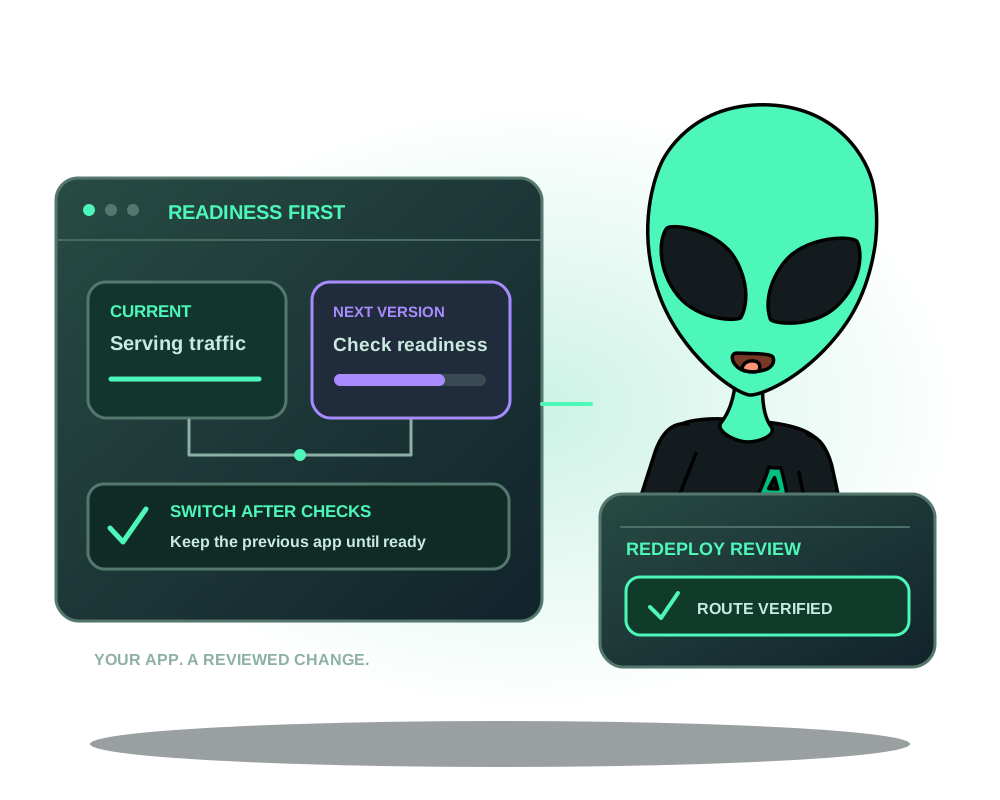
A container can start before its application can answer requests. For eligible custom web apps, Impreza offers an optional redeploy workflow that starts the new version beside the running one, checks readiness through the proxy network and moves the route only after the check passes. If the new version never becomes ready, the previous version keeps serving.
You can request the workflow from My Apps, the REST API or a compatible MCP client. An AI assistant uses the permissions you grant; the app’s compatibility and readiness checks still apply.
1. Check whether the app qualifies
The server needs Agent 0.6.27 or later, reporting the required capability. Existing servers need an explicit Agent update; updates never roll out to your fleet automatically.
The workflow is for a custom app with one web service, reached through a managed domain or onion route. The app cannot use a fixed host port or writable volumes. Catalog apps, previews, multi-service stacks, database deployments, Tor-egress mode and sandbox mode do not qualify for this workflow. Inspect the eligibility response for all conditions before enabling it.
It suits a stateless web service whose database or storage is operated separately. A separate database does not make schema migrations safe: a startup migration can change shared data before the traffic switch. Plan compatibility between the old and new app versions independently.
In Advanced view, the app’s redeploy card explains why it does or does not qualify. Through a client that lists it, impreza_get_zero_downtime returns the eligibility reasons and remedies. The API keeps the name zero_downtime for this option; the name is not a guarantee of uninterrupted service.
2. Choose a readiness check that represents the app
Pick an HTTP path such as /healthz that answers successfully only when the new version can handle its intended workload. Check the expected status range, startup timeout and draining period for the previous container.
The Agent checks the new container and makes requests through the proxy network with the app’s hostname. A page that always returns 200 can hide a broken dependency. A redirect or login page accepted by a broad status range may also fail to prove the behavior you need. Test the endpoint against both a healthy app and the failure you want it to catch.
For an onion route, this internal readiness check does not prove that a Tor visitor can reach the service. Check the public route separately using an appropriate Tor client.
3. Enable the option deliberately
Read the app’s eligibility and current configuration before saving. In My Apps, use the app’s redeploy settings. Through MCP, impreza_set_zero_downtime configures the option when the client exposes that tool; older local packages may not list it. The hosted connector, REST API and installed local package are separate interfaces.
Enabling the option makes the app proxy-only: direct IP:port access is removed on the redeploy. Use its domain or onion address and update any client that relied on the old direct port. The first deployment has no previous version to keep serving; this behavior starts with a later redeploy.
Ensure the server has enough CPU and memory for both versions during the transition. Readiness checks do not reserve capacity or fix application errors.
4. Redeploy and read the outcome
Request the redeploy, follow its progress and read the final result. The normal successful path keeps the previous container serving while the new one starts, verifies readiness, switches the managed route and then removes the replaced container after the draining period.
If the new version fails its checks, read the reason and confirm that the previous route still answers. Fix the startup or readiness problem before retrying. A cleanup or recovery warning needs review even if a page currently responds.
If the server does not report the required capability, the option does not provide this behavior: the app is redeployed normally and the result explains that limitation. Check the actual server state rather than assuming that saving a setting upgraded the Agent.
What Agent 0.6.30 improves
With Agent 0.6.30 or later, the managed proxy keeps both the serving container and the replacement slot in its route configuration. Active readiness checks guide the switch as containers start and stop, so the prepared redeploy no longer reloads the proxy to move traffic. The new version is checked before the previous version stops.
Update existing servers explicitly to receive this behavior; enabling the redeploy option does not update the Agent. The original minimum of 0.6.27 still describes the earlier workflow, while 0.6.30 adds the switch without a proxy reload.
For Git builds, replacing the build context now uses two directory renames. If the exchange fails between them, the previous context is restored. This protects the source swap; it does not undo database writes or make a failed build succeed.
5. Verify the route and important app behavior
Test the hostname users rely on, then exercise the app’s important functions. Inspect logs and metrics alongside the deployment result. For an onion service, verify the onion address separately; retaining an address is different from proving end-to-end reachability.
This workflow reduces avoidable startup interruption. Agent 0.6.30 removes the proxy reload from this prepared swap, but it does not guarantee uninterrupted service for every request. Host failures, unrelated route changes, network problems and database migrations remain separate risks. The eligibility limits above still apply.
For an interrupted or failed operation, follow deployment recovery before repeating changes. Keep appropriate app backups for the data and services involved; preserving an old container is not an off-server backup.
For protection around the app route, see Impreza Shield. For the source and runtime setup, use Docker app deployment.