















































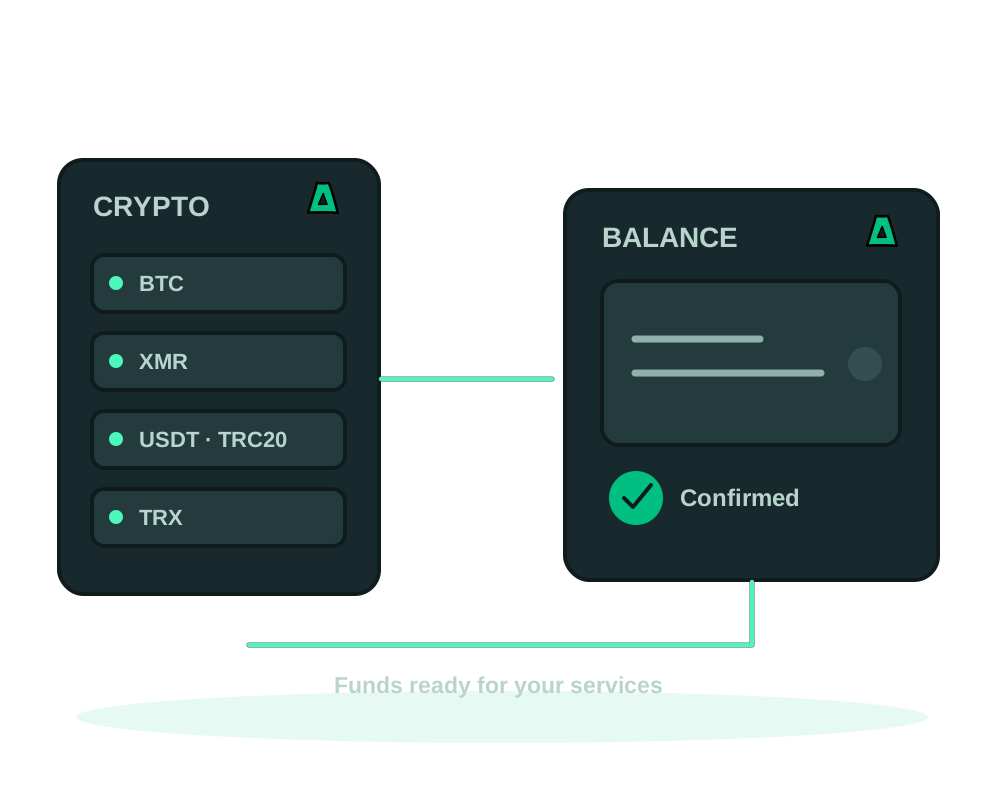
A crypto top-up adds credit to your Impreza account. Creating the top-up produces a payment request; it does not transfer crypto from your wallet or make the credit available immediately. Check your account currency and current balance before deciding how much to add.
How the balance works
- Impreza Pay options include Bitcoin, Monero, USDT-TRC20 and TRX; use the options shown for your payment.
- No personal email required for account signup; keep your Account ID and recovery code safe.
- Check payment and balance separately before using the new credit.
- Other payment methods may be available for your invoice; this guide covers crypto top-ups.
Fund it
Create the top-up
Check the account balance and currency in your client area or through your connected assistant. If you need more credit, review the amount and create one top-up using the available account flow. Keep the invoice reference and open its payment page. Creating a top-up is not the same as paying a service invoice.
Pick your rail
Choose a supported currency and network on that payment page. For Impreza Pay, the documented options are BTC, XMR, USDT-TRC20 and TRX. USDT-TRC20 and TRX through TronPay require an invoice in USD; the checkout and API refuse that route for other invoice currencies. Check the amount, payment instructions and any expiry information shown before sending. Use the options offered for that invoice, not a general currency list.
Send from your own wallet
Use the address, currency, network and amount displayed for this payment. Check any wallet or withdrawal fees that could change the amount received. Do not reuse the address or quote from an earlier invoice.
Wait for the confirmation
After sending, check the payment status and then your available account credit. A wallet showing a transaction as sent is not the same as the portal showing the top-up as paid. Wait for the payment processing required by the selected method; do not assume a fixed confirmation time.
A payment sent with the wrong currency, network or address may not be recoverable. When the payment page specifies USDT-TRC20, use that network. If anything differs from the current instructions, contact support before sending.
Paying with crypto does not mean there are no billing, account or operational records. No-email signup means you do not need to provide a personal email address; it does not guarantee that a payment or service can never be linked to you. See no-email signup and the Privacy Policy.
The MCP top-up tool creates an invoice, not a wallet transfer. Creating a top-up requires the documented account-management permission. Checkout-link integrations hand payment back to you; other authorized account actions can use existing credit. Review the action, amount and permissions rather than assuming every assistant connection can spend in the same way. Follow the OAuth connection guide.
Request an exact amount through local MCP
Local impreza-mcp 0.51.0 or later accepts an exact decimal string for impreza_topup, such as amount: "25.50". This is the amount of account credit in the account’s currency, not the number of crypto coins to send. Check the payment page for the separate wallet amount and network.
Use a plain positive decimal with at most two decimal places. Exponents, signs, surrounding spaces and extra decimal places are refused. JSON numbers remain supported. Creating the invoice does not move funds from your wallet.
For the hosted connector, read the advertised input schema before choosing the amount format. Local and hosted tools can update independently. Review the amount before confirming. See the published MCP release notes and connection guide.
Read a BTC or XMR payment in chat
For an on-chain BTC or XMR top-up, ask your assistant to show the current payment instructions. With a client that supports MCP Apps, the hosted connector or local impreza-mcp 0.55.1 can display a payment card: the amount, an address in readable groups, a QR code and a countdown to the payment provider’s expiry.
The QR is generated inside the card without a third-party QR service. Compare the currency, network, amount and destination with the current instructions before sending from your own wallet. QR and copy controls are offered only when the payment details match; if the card shows a warning, stop and review it. Open in wallet appears only when your AI client permits the card to open links.
This QR workflow covers BTC and XMR on-chain, not Lightning, USDT-TRC20 or TRX. Use the payment page for other supported methods or when your client cannot display panels. The card does not send funds, complete a wallet transfer or guarantee that the account has been credited. After paying, check the invoice and then your balance as separate steps.
See the MCP panel reference for supported clients and the connection guide for setup.
Check the expiry when you reopen Impreza Pay
For the BTCPay payment flow in Impreza Pay, the checkout countdown uses the expiry reported for that invoice, both when you open the payment and when you resume it. Check the current deadline instead of assuming a fixed payment window.
If the provider does not return a usable expiry, the modal leaves the countdown out. A missing timer does not mean unlimited time to pay. Review the current amount, currency, network and address on the existing invoice before sending. If the deadline has passed or the instructions are unclear, ask support before paying. If you already sent funds, use the pending-payment steps below rather than sending them again.
If a payment is pending
Reopen the same invoice and compare its status with your account balance before creating another top-up. If you already sent funds and the portal has not credited them, contact support with the invoice reference and the transaction reference relevant to that payment. Never share a wallet seed phrase, private key or account recovery code.
Credit is applied after the provider confirms settlement and the invoice currency and received amount pass verification. A partial payment is not a paid invoice. Late, expired or manually marked payments, or a payment awaiting reconciliation, may need support review before credit appears. Check the existing invoice and balance instead of starting another payment to force the status to change.
If the payment page reports an error with a reference, keep that reference for support. Do not send wallet secrets or paste raw credentials into the ticket.
Using your credit
Check the amount due and the available account credit when paying for an order or renewal. Confirm the invoice is paid, then check the service or order status separately. Funding the account does not by itself order a server, complete every renewal or guarantee immediate provisioning.
Start now
Open an account without providing a personal email address, or review Impreza payment options before creating a top-up.