















































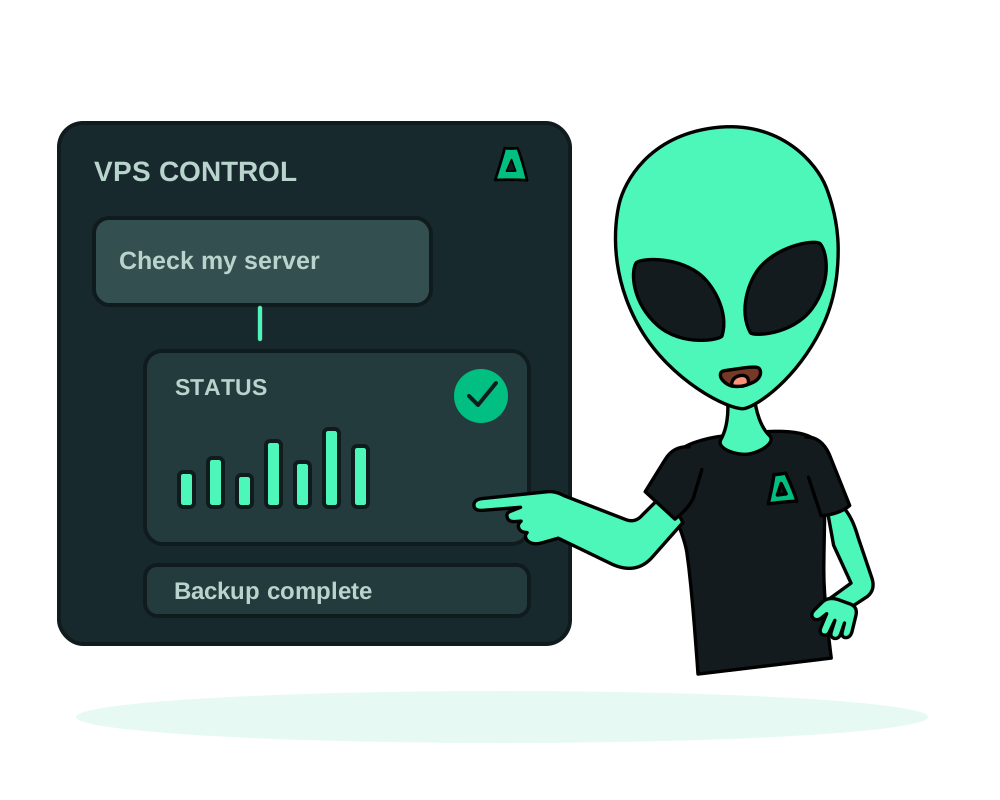
After deployment, use your authorized assistant to inspect the VPS and request supported operations. Start with the service identity and current status, then decide what to change. Reading status and changing the server require different levels of access; grant only what the task needs.
What you can do from the chat
- Read status on demand: power state, CPU, memory, disk I/O, network counters and uptime
- Power actions: start, reboot, graceful shutdown or a hard stop
- On-demand backups, plus a list of what backups exist
- Resource increases on a configurable VPS, with a price review before confirmation
- Reinstall from an OS template when you want a clean slate
Read your VPS in a visual chat card
Ask your connected assistant to show the VPS status. In a client that supports MCP Apps, the result can open a server card with power state, CPU and memory against the VPS limits, hardware details and its apps. The published hosted connector and local impreza-mcp 0.55.1 provide this visual interface; clients without panel support can still use text results.
Use Refresh for another reading before deciding what to change. Disk I/O and network figures are counters since the VM started, not remaining disk space or a live traffic chart. An older reading is marked as such; missing information is not filled in. The card does not provide continuous monitoring, alert delivery or server logs.
Power controls keep their permission checks and use a separate confirmation click for reboot or shutdown. An accepted action is not proof that the VPS has reached the new state: refresh and check it. The panel does not bypass a configured human-approval policy or authorize spending.
For the other visual workflows, see deploying a catalog app and reading a crypto top-up QR. The panel reference describes the supported controls.
Inspect the host without granting full administration
With Agent 0.6.28 or later, your assistant can request the supported host inventory and show when its facts were collected. Use that alongside live VPS status; a recorded inventory is not a fresh health probe. It does not authorize package upgrades, arbitrary system-service changes or unrestricted host commands.
Current hosted MCP and local MCP 0.48.0 or later omit SSH host-key fingerprints from the inventory by default. Include them only when you deliberately want those public identifiers returned to your AI client. The portal and direct REST inventory still include them. See inventory privacy.
Check capacity before paying for more
Ask the assistant to read your VPS resize recommendation, or use Size check in My Apps. On an eligible managed VPS with Agent measurements and enough recent history, it can identify sustained CPU, memory or root-disk pressure and return a proposed increase with a quote. Sparse or stale measurements may produce no usable recommendation.
Review this VPS’s capacity recommendation. Explain the evidence, proposed resources and price. Do not resize, order or reboot it.
This is inspection, not automatic scaling. Check whether an app’s own container limit is the cause before increasing the VPS. A recommendation and a quote change nothing; the priced resize and any required platform reboot remain separate decisions. Read capacity recommendations, then follow the confirmation sequence below.
Operate it
Find the server
Ask your assistant to list your services. Each VPS has a service id, and that is what every other action refers to.
Check the status first
Pull the live state before acting: power state plus CPU, memory, disk, network and uptime. This is read-only, so it is the part you can grant with nothing but a read scope.
Reboot or shut down
Ask for a reboot, a graceful shutdown or a start. Prefer the graceful shutdown, which signals the operating system to close down properly, over the hard stop that cuts power immediately.
Back it up on demand
Request a whole-VPS backup where supported by the service, then check its status until it completes. Confirm which service and recovery point you are using before a change. Application backups are a separate operation, described below.
Quote an increase before applying it
On a configurable VPS, ask for a resize quote with only the vCPU, memory or disk amounts you want to increase. Review today’s prorated charge, the next renewal price and the current and proposed sizes. A quote changes nothing. Authorize the priced change only after checking the service and amount; the assistant’s first MCP call returns a confirmation step, not a completed resize.
Sizes can only increase. Resizing does not change the VPS location, operating system or billing cycle. Once paid and applied, new vCPU and memory become visible inside the guest after a reboot through the platform API or MCP power action; a reboot started from inside the guest does not apply those CPU and memory changes. Disk space is enlarged before that restart, and the root filesystem grows at the platform reboot. Check the resulting size and app health. Read the VPS resize reference before planning a change.
A 502 UPSTREAM_ERROR response does not confirm whether the requested action was applied. Check the VPS’s current state and any recorded operation before retrying. If the outcome is still unclear, contact support rather than repeating the action. The public response uses a fixed message instead of the provider’s raw error text.
A reinstall wipes the VPS and lays down a fresh OS template. Every file, database and configuration on the disk is gone, and there is no rollback. Before you ask for one: take a backup, confirm it actually completed in the backup list, and make sure anything you need is also stored somewhere off that server. Only then reinstall.
The graceful shutdown lets the system flush pending writes and close databases cleanly. The hard stop is the equivalent of pulling the cord: use it only when the machine is unresponsive and a graceful shutdown has already failed. Either one takes the server offline, so expect downtime for anything it serves.
Reading status needs very little. Rebooting, backing up and reinstalling sit behind the manage scope, which is also what allows spending. Grant it for the task at hand and revoke it afterwards: see connect your AI agent with OAuth.
For scoped credentials, creating a VPS snapshot through the REST API requires manage, matching the MCP requirement. A credential limited to deploy is refused with 403 SCOPE_INSUFFICIENT for snapshot creation. The platform does not add manage automatically. Review the task and grant only the permissions you intend to allow.
A reinstall asks for a new root password. Generate a long random one in your password manager rather than reusing an old password, and never paste it into a shared chat log or a ticket.
Whole-VPS backups and app backups serve different jobs
A whole-VPS backup covers the virtual machine through the supported VPS service. An app backup targets the deployment’s covered data and uses the Impreza S3 storage associated with your account. App backups do not replace an OS recovery plan, and restoring the whole VPS can affect every application on it.
For an app-level change, inspect the app’s backup history and schedule in My Apps or through the corresponding MCP tools. Check storage capacity and a completed backup before requesting a restore. The restore keeps displaced data aside, but that copy consumes disk and is not a second off-server backup.
To move an application, restore its completed backup into a compatible destination and test it before switching traffic. Keep whole-server recovery, application recovery and traffic changes as separate decisions. See the catalog app workflow for deployment and the next steps.
Inspect the app before changing the whole server
An app problem does not always need a VPS reboot or reinstall. On supported agent deployments, inspect app logs and files, use the app’s supported maintenance commands or review scheduled-task output. The browser app terminal works inside the application; it is not a root terminal for the host.
Choose the smallest operation that addresses the problem, review its effect and authorize it deliberately. For connection and access settings, use the OAuth guide.
Use app-level tools for app-level work
Before changing the whole server, follow the app inspection and maintenance guide for supported deployments. Use limited delegated credentials when handing a specific task to another agent; app resources and VPS service resources are different permission targets.
For integrations, receive selected platform events at your own receiver. An event is a signal to check the relevant state, not a guarantee that every asynchronous operation finished.
Start now
Spin up an offshore VPS, connect your assistant with OAuth, or read the documentation.