















































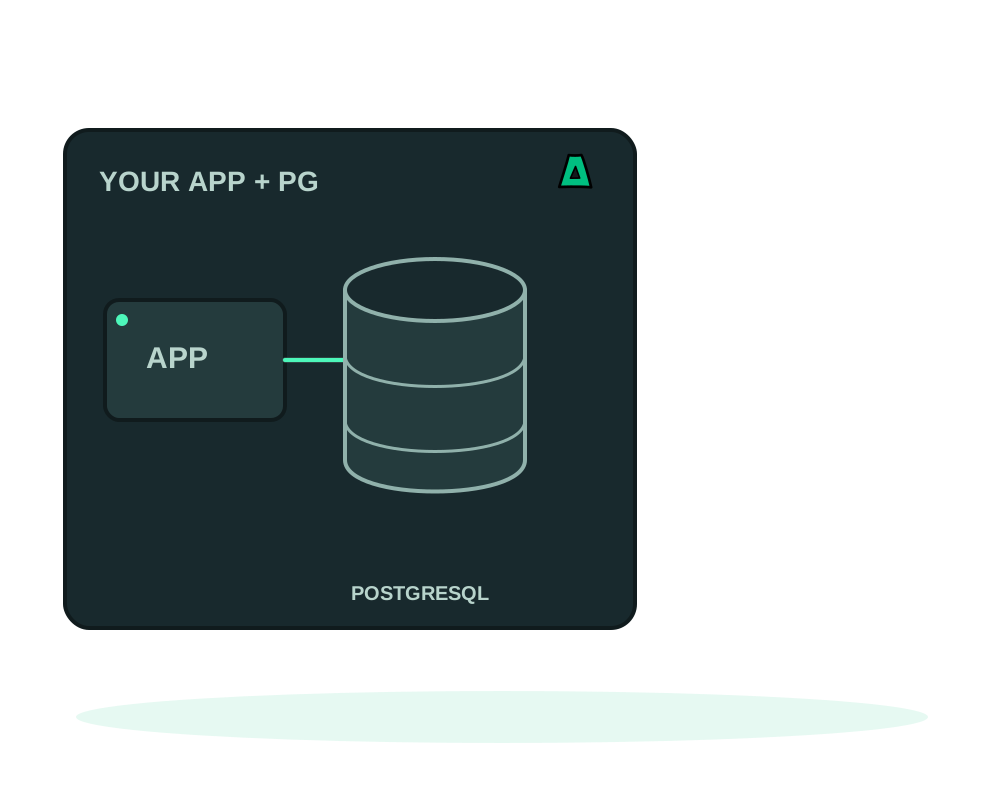
The usual way an app gets a database is that somebody pastes a connection string into an environment variable, and from then on that string exists in a browser tab, a password manager, a chat log and three people’s shell history.
A service binding removes that step. The platform creates a dedicated database and login for one application, stores the credential encrypted, and only the authorized agent running that application ever obtains it.
What you get
- A dedicated database and login for one application, not a shared superuser
DATABASE_URLdelivered into the private runtime environment, never returned to the portal, the API or MCP- Ownership held separately: the owning role cannot log in, so rotating or removing the app login leaves the data intact
- Rotation and removal as reviewed operations, each confirmed before anything runs
- The provider’s admin password is never copied to the application
What you need first
A binding connects a custom application in image mode to a running PostgreSQL catalog application on the same server. Both must be linked to the same project environment: the consumer with a web or worker role, the provider with the database role.
The consumer has to be running or failed, with no pending runtime operation. It needs agent 0.6.13 or later, and local MCP tools need 0.36.0 or later. Rotation additionally requires an agent that announces rotation support, so update the agent explicitly before you plan around it.
Not supported today: an app that already defines DATABASE_URL, a custom network layout, an app built from source through one of the generated recipes, a provider on a different server, or a non-PostgreSQL provider for this PostgreSQL workflow. MariaDB has its own connection guide and engine requirements.
Connect it
Group the two apps
Put the application and its PostgreSQL provider in the same environment, with the right roles. Without that association there is nothing to prepare.
Review the connection
On the application’s card, open Database connection and choose Review database connection. Check the application, the provider, the environment, the managed variable, the dedicated database and the expiry. Preparation creates no database and queues no deployment.
Confirm
Apply with the saved review and an explicit confirmation. Repeating the same review with its exact digest returns the same receipt instead of creating a second deployment, so a lost response is safe to retry.
Let the agent do the verification
The agent checks the provider’s container and network identity, creates the dedicated role and database, and verifies password authentication before replacing your application. If that authorization fails during preparation, the previously serving container and its runtime credential are preserved.
Test a real query
Acceptance means queued. Check the deployment result, then run an actual database operation from the application. A successful receipt is a historical fact, not a continuous health guarantee.
The connection uses the provider’s existing private Docker network. It adds no host port and does not change the ports the PostgreSQL catalog app already publishes. Your application keeps its routes, resource limits and volumes.
Variable edits through the API and redeploy inputs cannot override the managed DATABASE_URL, and route updates preserve it. That is the point: the value is managed, so nothing in a later deploy can quietly replace it with a stale string. Remove the binding if you want the variable back under your own control.
Review the provider’s TLS requirement
On the current PostgreSQL catalog recipe, enabling TLS required rejects unencrypted network connections before custom client rules can allow them. The requirement also covers physical replication connections. A custom host rule is not a way to bypass required TLS.
Review the database’s connection card and use the encrypted connection settings and CA verification appropriate to your client. The managed DATABASE_URL remains under the binding’s control: do not overwrite it with a manually pasted password or weaken TLS to work around a connection error. Check client compatibility and the reported failure first.
Publishing an updated recipe does not silently reconfigure an existing database. Check the installed provider and its TLS mode before relying on these safeguards, and use a reviewed update or contact support for an older deployment. Required TLS is different from optional TLS, and encryption does not replace authentication or restrict an exposed port by itself.
Restrict external access to the database port
If your PostgreSQL app publishes a non-HTTP port, use My Apps → Advanced → App settings → Inbound access to allow only the public IPv4 or IPv6 ranges that need it. Published ports start open; restriction is your explicit choice. Save and confirm, then wait for enforced before relying on the rule. Keep TLS and database authentication enabled.
This filters new connections from outside the server. It does not replace the private Docker connection used by the binding, filter existing sessions or authenticate a database user. SSH and the shared proxy ports are reserved. Read inbound access requirements and recovery; Agent 0.6.26+ is recommended, and local MCP control requires 0.52.0+.
Rotating and removing
Rotation creates a distinct new login, replaces the application with the rotated connection and disables the previous login only after the replacement is healthy. The database and ownership are retained. Preparing the review does not change the serving credential.
Rotation and abandonment require a Docker healthcheck that reports healthy, not merely a running container. Agent 0.6.15 adds an independent guard for this requirement; update existing agents explicitly. Use a readiness check that includes database access where appropriate. A failed startup can retain both credentials for a reviewed retry. If only cleanup remains, retry that cleanup rather than assuming rotation is finished.
Removal is its own review. Confirming queues a replacement of the application without the managed variable and without the provider network. The dedicated login and its password are disabled only after the agent verifies a healthy replacement running without the attachment. The database, the role and the stored data are retained: this is not a delete operation.
A successful replacement can still report cleanup as pending, and the card will say so. Use the cleanup retry review, or prepare another removal review for the same binding. Each retry needs its own review and confirmation, and redeploy, promotion and manual rollback cannot overwrite a pending cleanup.
Manual image rollback rejects a retained release that would change the managed database connection, and it rejects before replacing any container. It also cannot restore an older database login on its own. Ordinary application settings keep their usual rollback behavior, so this refusal is specific to the connection.
Neither the review nor its receipt contains a credential, and generated values are redacted in deployment output and log transport. If an assistant or a colleague asks you to paste a database password into a chat to make this work, the answer is that the flow does not need it. What the platform cannot control is what your own application and your server administrator can read once the app is running.
Include verified database recovery in your plan
Eligible current PostgreSQL bindings support a consistent dump followed by mandatory restoration into a temporary verification database. Agent 0.6.18+ must advertise the backup and restore capabilities. Temporary verification data and credentials must be cleaned up before backup success is reported.
A verified managed dump can be restored into a new database through the portal, REST API or MCP. The serving connection stays unchanged; this is not automatic cutover or point-in-time recovery. Keep app files and database consistency as separate planning concerns.
Follow app backups and restore a managed database to check the recovery point and review the new destination.
Start now
Get an offshore VPS and choose the Impreza Agent explicitly at checkout, or install it later on an eligible server. Direct portal and REST VPS orders default to No app, without an Agent. Current hosted MCP and local impreza-mcp 0.54.0 or later request the Agent when the app is omitted; review the app choice before confirming. Then install PostgreSQL from the catalog, group both apps with projects and environments, and plan recovery with app backups.