















































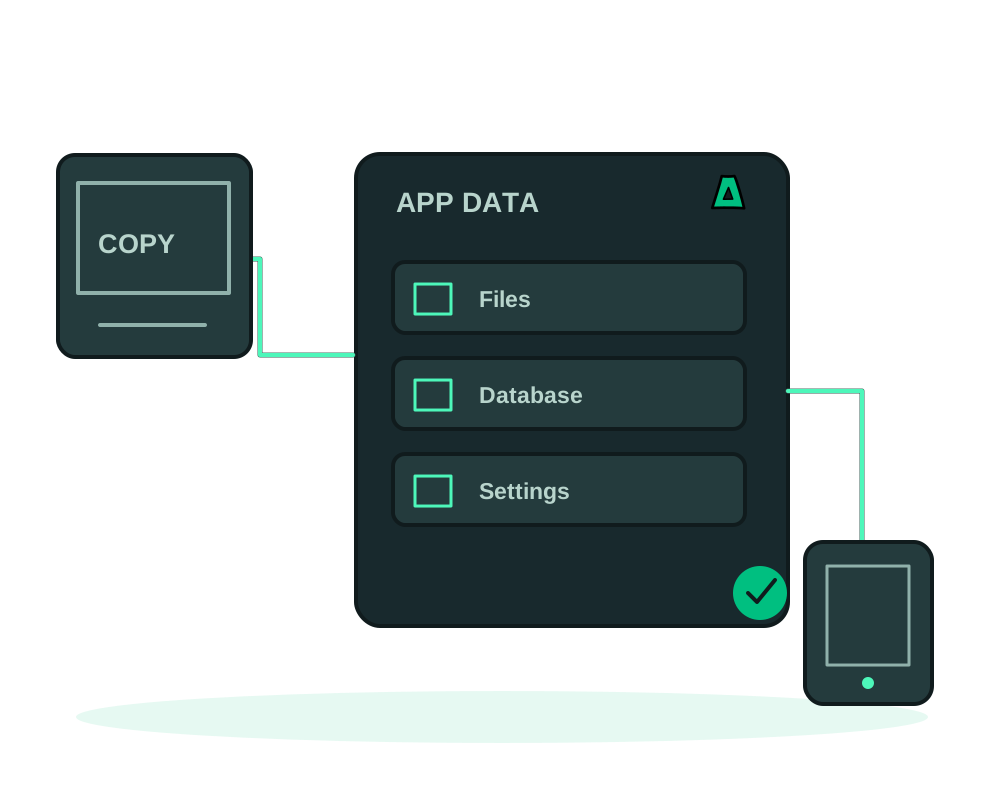
Impreza can restore a completed app backup into another compatible deployment on your account. This gives you a way to move supported app data between servers managed through the platform. It copies a recovery point; changes made at the source afterward do not automatically follow it.
Check compatibility first
For catalog deployments, the destination must use the same catalog app. For custom deployments, the platform checks the deployment mode and source image or Git repository. Passing that check does not prove compatibility between database schemas or software versions: verify those separately.
Prepare the destination app with the Impreza Agent online and enough CPU, memory and disk for the workload and restore. The destination must be running before it can receive a copy. Both app deployments must belong to your account, and the source deployment record must still exist.
This is a workflow between supported deployments. A move to an unrelated hosting platform needs a separate export and import plan.
1. Inventory the application
Identify persistent data, databases, environment settings, domains, callbacks, scheduled jobs and external services. Check which paths the integrated backup covers. Keep a tested database-native backup for production databases; the app file backup alone does not guarantee consistency of an active database.
Agree on a maintenance window and how you will prevent new writes during the final copy. Include workers, scheduled tasks and incoming webhooks in that plan. The backup tool requires the app to be running, so do not assume stopping the entire deployment is a valid backup procedure.
2. Prepare an isolated destination
Deploy the compatible app on the target server. Keep it out of public traffic while testing. Review background tasks and integrations so a second copy does not send duplicate notifications or process the same external jobs.
Use distinct source and destination IDs. Ask your assistant to explain the planned target before authorizing a restore:
Compare these two app deployments for migration. Show the source, destination, latest successful backup and compatibility limits. Do not restore data or change traffic yet.
3. Restore the selected backup
Create and verify a recovery point using the app backup guide. Select that completed backup and explicitly identify the destination deployment for the restore.
Allow room for staged data and the destination’s previous data, which is kept aside locally. Follow both the restore result and the app’s subsequent startup. A completed data copy is not enough to declare the application ready.
On a destination updated to Agent 0.6.25, file restoration stages and verifies the archive before stopping the target app for the data exchange. The target stays stopped while the restore job may still be writing. This does not stop writes at the source or synchronize changes made after the backup. Follow the app restore guide and explicit update guidance for the current behavior.
4. Validate data, credentials and addresses
Test login, representative records, uploads and downloads, and the application’s main workflow. Inspect logs for database or authentication errors. The copy flow can carry application settings from the source while preserving destination-specific settings; still verify credentials and integrations after the destination starts.
Review absolute URLs, OAuth callbacks, webhook destinations and client configurations. A cross-app data copy does not transfer the source’s Tor identity to the destination. A DNS update does not move an onion address.
Plan onion identity recovery separately
An app backup and an onion identity export protect different things. If the destination will use its own onion address, update links and client settings after testing it. If you need to retain an existing identity, plan that operation separately before deploying the destination.
Eligible Impreza Agent environments support encrypted identity export and import at deployment. Export is sealed to a recipient public key; keep the matching private key securely and retrieve the completed export once. Both Tor identity files are needed for import. An app-data restore does not perform this import for you.
Address reservations remain after failure, uninstall or rotation. Contact support before moving an already-used identity to another deployment; deleting the source does not automatically release its address. A failed or timed-out command is not proof that the old service stopped. Do not run competing instances with the same identity.
Identity rotation creates a different onion address and breaks existing links; it is not a migration shortcut. Review authorization keys and protection settings on the destination, then test with authorized and unauthorized clients where restrictions apply. Use agent 0.6.19+ and the advertised custody capabilities. Follow the identity custody documentation before changing keys or addresses.
5. Move traffic deliberately
After a rehearsal, arrange the final recovery point under your application’s tested consistency procedure. Validate the final restore before changing DNS, routing or client settings. Keep writes and workers active only where intended so the two copies do not diverge.
DNS caching and application startup can affect the transition. Plan an interruption window rather than assuming zero downtime. After switching traffic, verify the actual public destination and monitor logs and user workflows.
6. Keep a recovery path
Retain the source deployment record, source data and a known-good backup while validating the move. If the destination has accepted new writes, returning traffic to the source will not merge those changes; reconcile them before a return.
Review backup storage and schedules for the destination. Remove old deployments or displaced data only after you have confirmed the consequences for future restores. For now, the integrated restore still depends on the original deployment record even when the backup files remain in S3.
Read about hosting with app backup and migration tools or return to the catalog deployment guide.