























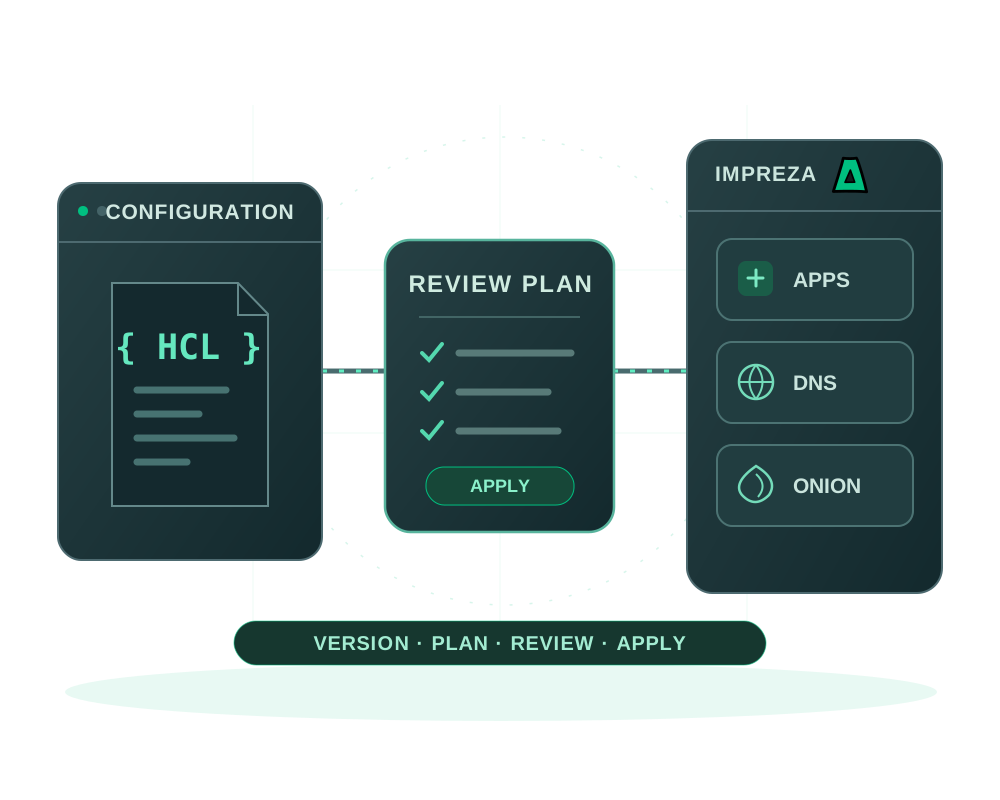
Use Impreza’s provider for Terraform or OpenTofu when you want supported application resources described in configuration files alongside your project. This gives teams a repeatable plan-and-review workflow alongside My Apps and the MCP connection used by an AI assistant.
Provider 0.4.0 is published in the Terraform Registry and OpenTofu Registry as imprezahost/impreza. It manages existing account infrastructure through the REST API. Provision the server through the portal or another supported ordering flow first; this provider does not buy a VPS or move money.
Choose the resources for your project
- Catalog app deployments on an eligible connected server.
- DNS records for registered domains supported by the account API.
- Project and environment variable groups, including a separate write-only secret mechanism.
- Onion services for running apps, without exposing the onion private key to the provider.
Custom app deployments, billing, domain registration, host plans, failover and database point-in-time recovery remain outside version 0.4.0. Use the resource reference before treating another My Apps or MCP action as supported by Terraform.
Install the provider from the registry
Declare the provider in your project. The same source name works in both registries:
terraform {
  required_providers {
    impreza = {
      source  = "imprezahost/impreza"
      version = "= 0.4.0"
    }
  }
}

provider "impreza" {}
Initialize with the CLI you use and review the generated lock file. Registry installation verifies the signed release checksums. For a manual download, follow Impreza’s release-signing reference, compare the fingerprint and verify the archive before using it.
The provider documentation includes installation and per-resource examples.
Keep credentials and secrets outside source control
Create an account API key with the access needed for the chosen resources. Supply IMPREZA_API_KEY and IMPREZA_API_SECRET through your local environment or CI secret store, rather than committing them in the provider block. Explicit credentials in a configuration can also travel into a saved plan file.
Use the provider’s write-only secret mechanism for variable-group secrets. It requires Terraform or OpenTofu 1.11 or later; change secrets_version when sending new values. A normal variable is not a secret just because its name looks sensitive. Protect configuration, saved plans, state and CI access for the data they can contain.
For catalog settings that are secret or generated, use the owner-authenticated secret-entry workflow or a supported variable group. The provider refuses those deployment settings at plan time. It does not receive the onion private key.
Review the plan before applying
Run the plan with your chosen CLI and read the actual resource changes before applying. Existing resources are adopted with the documented import ID, rather than recreated to make them appear in state.
Variable-group writes replace the whole group: omitting an existing secret name can remove it. Review names and sealed_names, and keep recovery procedures outside the state file. Deployment and variable-group deletion protection defaults to enabled; disabling it and destroying a resource is a deliberate operation.
An uncertain API response is not retried blindly. After a connection failure, inspect the service and run another plan; if the resource was created, follow its documented import procedure instead of issuing a second create.
Keep onion identity custody separate
An onion service can be represented in configuration while its private key stays outside Terraform. Export, rotation and purge are separate custody actions. Destroying an impreza_app_onion resource removes it from state only; the onion service keeps serving until you use its supported removal flow.
The provider can use a Tor proxy for an onion API endpoint. That transport choice does not hide configuration or plan output you share with an AI provider or CI service. Follow the provider’s transport setup; the variables used by local MCP are a different client’s configuration.
Choose how you want to operate
Use My Apps for direct account controls, MCP with OAuth for supported AI-assisted tasks, or Terraform/OpenTofu for the resources you want to manage as code. Their supported actions and permissions differ.
Start with an eligible Impreza server or connect a compatible server you administer. Confirm the provider resource schema and server capabilities before applying a production change.