


















A member of a ransomware gang is abusing legitimate employee monitoring software and the SimpleHelp remote support tool to maintain persistence in corporate networks, evade detection, and prepare for ransomware deployment.
Researchers at Huntress observed the breaches and investigated multiple incidents where threat actors deployed Net Monitor for Employees Professional alongside SimpleHelp for remote access to a breached network, while blending in with normal administrative activity.
Attackers Deploy Monitoring Software via msiexec
In one intrusion, attackers installed Net Monitor for Employees Professional using the Windows Installer utility, msiexec.exe, which allowed them to deploy the monitoring agent on compromised systems directly from the developer’s site.
Once installed, the tool allowed attackers to remotely view the victim’s desktop, transfer files, and execute commands, effectively providing full interactive access to compromised systems.
The attackers also attempted to enable the local administrator account using this command:
For redundant persistence, attackers downloaded and installed the SimpleHelp remote access client via PowerShell commands, using file names similar to the legitimate Visual Studio vshost.exe.
They then executed the payload, which allowed them to maintain remote access even if the employee monitoring tool was removed.
Sometimes, the attackers disguised the SimpleHelp binary with Filenames that Pretended to be related to OneDrive:
The attackers used the monitoring software to execute commands remotely, transfer files, and monitor system activity in real time.
In addition, researchers Observed the Attackers Attempting to disable Windows Defender by stopping and deleting associated services.
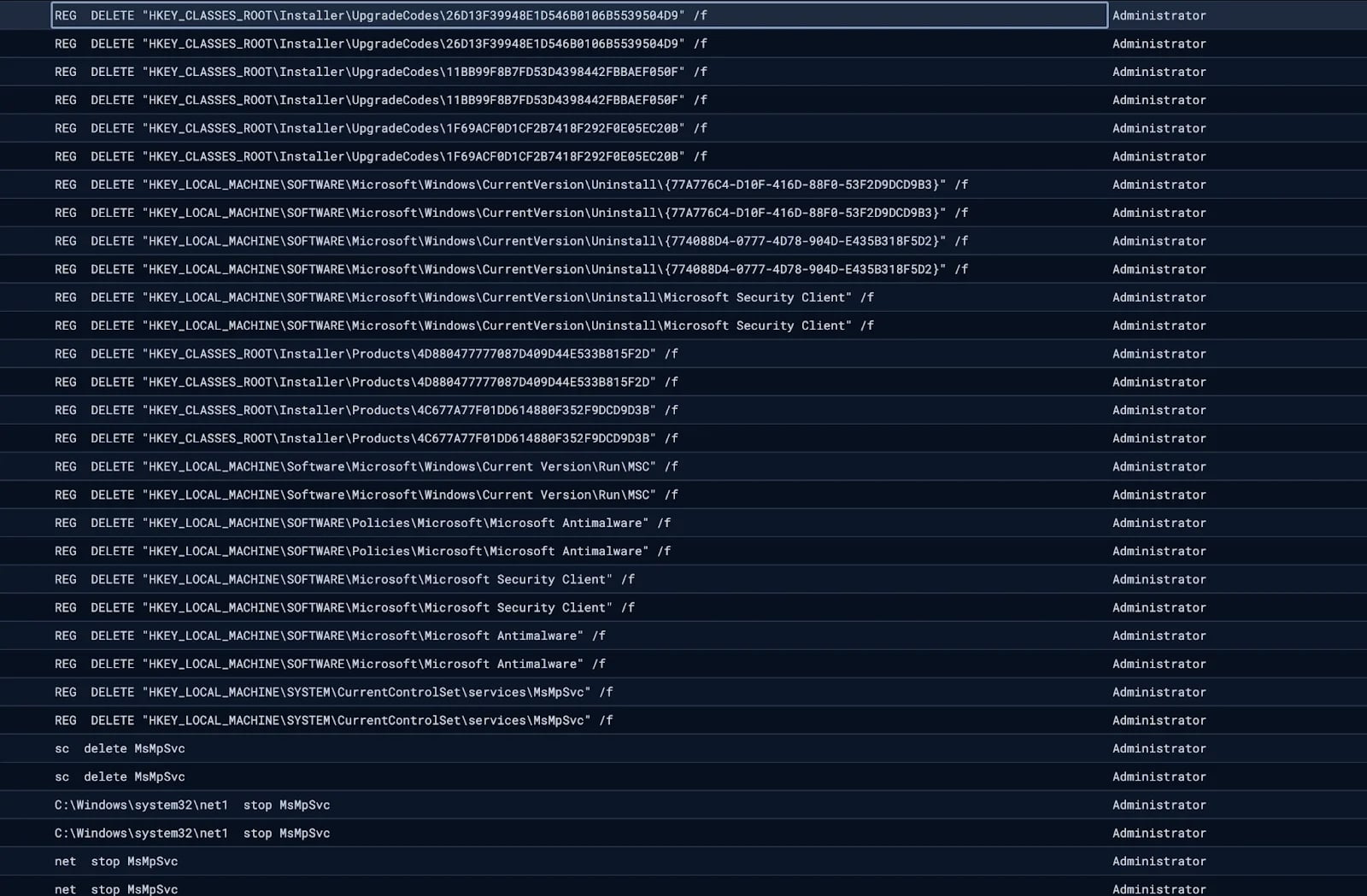
Disabling Windows Defender
Source: Huntress


Attackers Configure Cryptocurrency and Remote Access Alerts
In one incident, the hackers Configured monitoring rules in SimpleHelp to alert them when devices Accessed Cryptocurrency wallets or used remote management tools as they prepared for Ransomware Deployment and potential Cryptocurrency theft.
“The logs show the agent continuously cycling through trigger and reset events for cryptocurrency-related keywords, including wallet services (metamask, exodus, wallet, blockchain), exchanges (binance, bybit, kucoin, bitrue, poloniex, bc.game, noones), blockchain explorers (etherscan, bscscan), and the payment platform payoneer,” explains Huntress.
“Alongside these, the agent also monitored for remote access tool keywords, including RDP, anydesk, ultraview, teamview, and VNC, likely to detect if anyone was actively connecting to the machine.”
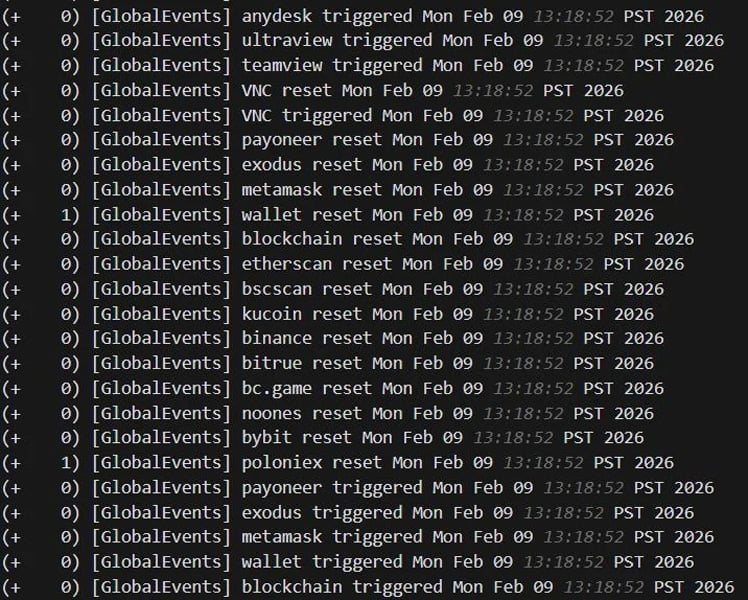
Keywords monitored by SimpleHelp agent
Source: Huntress
By using multiple remote access tools, the Attackers ensured they Retained access even if one tool was discovered or removed.
Huntress Links Incidents to a Single Operator
While only one incident led to the Deployment of the Ransomware group, Huntress believes the same threat actor is behind both incidents.
“The same filename (vhost.exe) and Overlapping C2 infrastructure were reused across both cases, strongly suggesting a single operator or group behind both Intrusions,” explains Huntress.
The use of legitimate remote management and monitoring tools has become increasingly common in Ransomware Intrusions, as these tools allow Attackers to blend in with legitimate network traffic.
Therefore, Huntress warns that organizations should closely monitor Unauthorized installations of remote monitoring and support tools.
Furthermore, since Compromised SSL VPN Credentials enabled both Breaches, organizations need to enforce MFA on all remote access services used to access the network.
Source: BleepingComputer, Lawrence Abrams
Read more at Impreza News