






























A phishing campaign uses a fake Google Account security page to deliver a web-based app that steals one-time passcodes (OTP), harvests cryptocurrency wallet addresses, and proxies attacker traffic through victims’ browsers.
Specifically, the attack abuses Progressive Web App (PWA) features and social engineering to convince users they interact with a legitimate Google Security page and trick them into installing malware.
Notably, PWAs run directly in the browser and users can install them from a website just like standalone applications. Once installed, the app appears in its own window without visible browser controls, which increases its deceptive appearance.


Social Engineering and Domain Spoofing
First, the campaign relies heavily on social engineering to obtain permissions under the guise of a “security check” and enhanced device protection.
To support the scam, attackers operate the domain google-prism[.]com, posing as a legitimate Google security service. The site presents a four-step setup process that encourages users to grant high-risk permissions and install a malicious PWA. In some cases, the page also promotes a companion Android app that claims to “protect” contacts.
According to researchers at Malwarebytes, the PWA exfiltrates contacts, real-time GPS data, and clipboard contents.
In addition, the malicious PWA functions as a network proxy and internal port scanner, allowing attackers to route requests through the victim’s browser and identify live hosts inside the local network.
The website also requests permission to access copied text and images from the clipboard — access that occurs only while the app remains open.
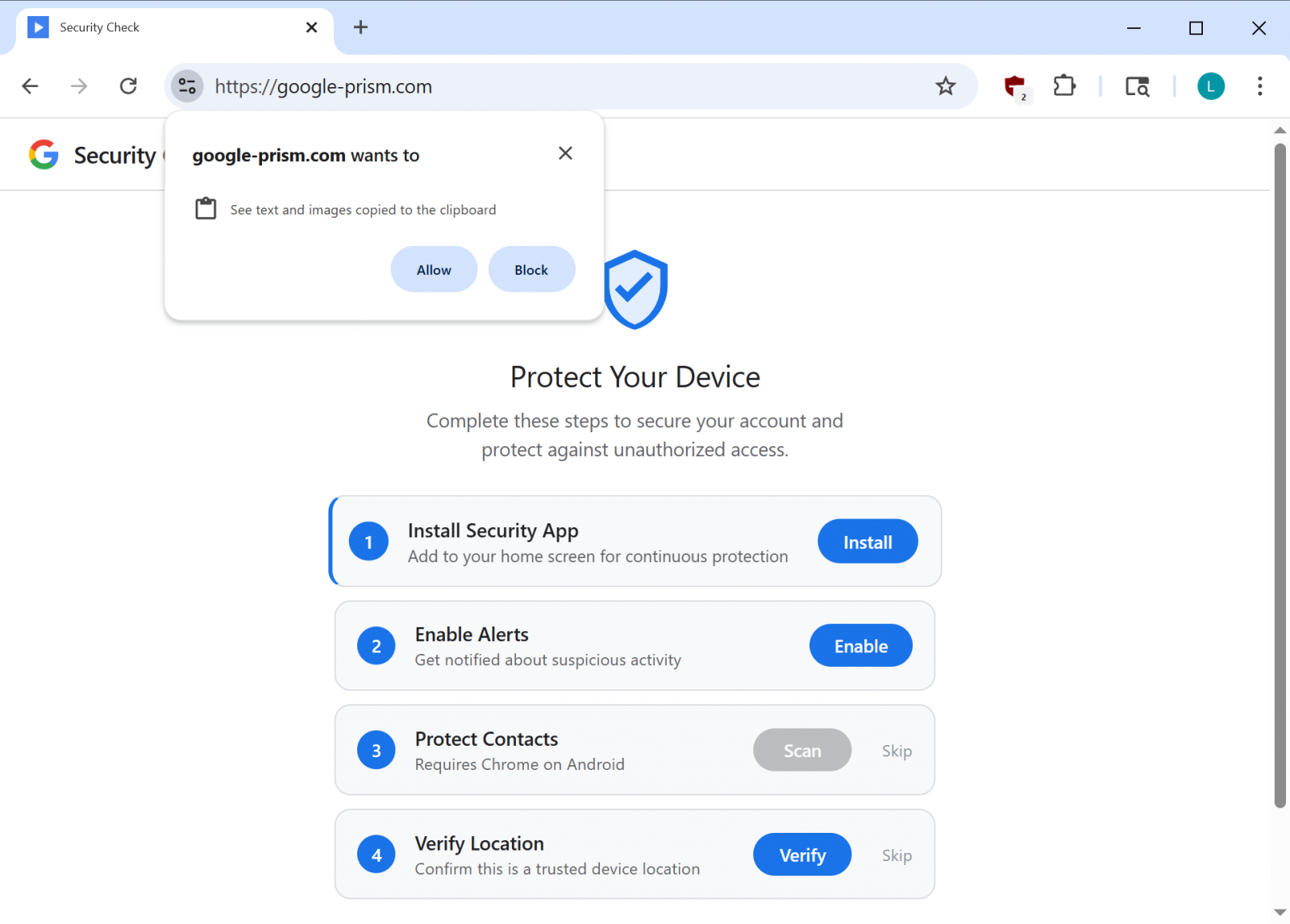
Fake Google security site asking for clipboard access
source: BleepingComputer
However, the fake site further requests permission to display push notifications, enabling attackers to send alerts, assign new tasks, or trigger additional data exfiltration.
WebOTP API Abuse and Command Control
Moreover, the malware leverages the WebOTP API in supported browsers to intercept SMS verification codes. It also checks the /api/heartbeat endpoint every 30 seconds to retrieve new commands.
Because the PWA can only steal clipboard contents and OTP codes while open, attackers use notifications to send fake security alerts that prompt victims to reopen the malicious app.
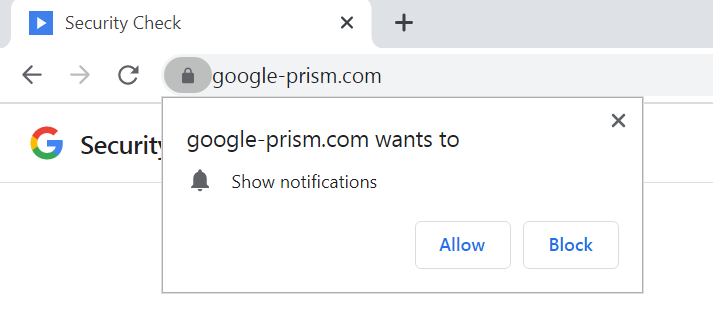
Fake Google security site asks for notifications permissions
source: BleepingComputer
Researchers at Malwarebytes state that the primary objective involves stealing one-time passwords and cryptocurrency wallet addresses, adding that the malware also “builds a detailed device fingerprint.”
Another critical component includes a service worker that manages push notifications, executes payload tasks, and prepares stolen data locally for exfiltration.
Most concerning, however, researchers identified a WebSocket relay that enables attackers to forward web requests through the victim’s browser as though they originated from the victim’s internal network.
“The malware acts as an HTTP proxy, executing fetch requests with whatever method, headers, credentials, and body the attacker specifies, then returns the full response including headers” – Malwarebytes
Because the service worker includes a Periodic Background Sync handler — a feature in Chromium-based browsers that allows background data synchronization — attackers maintain persistent access for as long as the malicious PWA remains installed.
Malicious Android APK Escalates the Threat
Meanwhile, users who activate all offered “security features” receive an Android APK file that promises to extend protection to their contacts list.
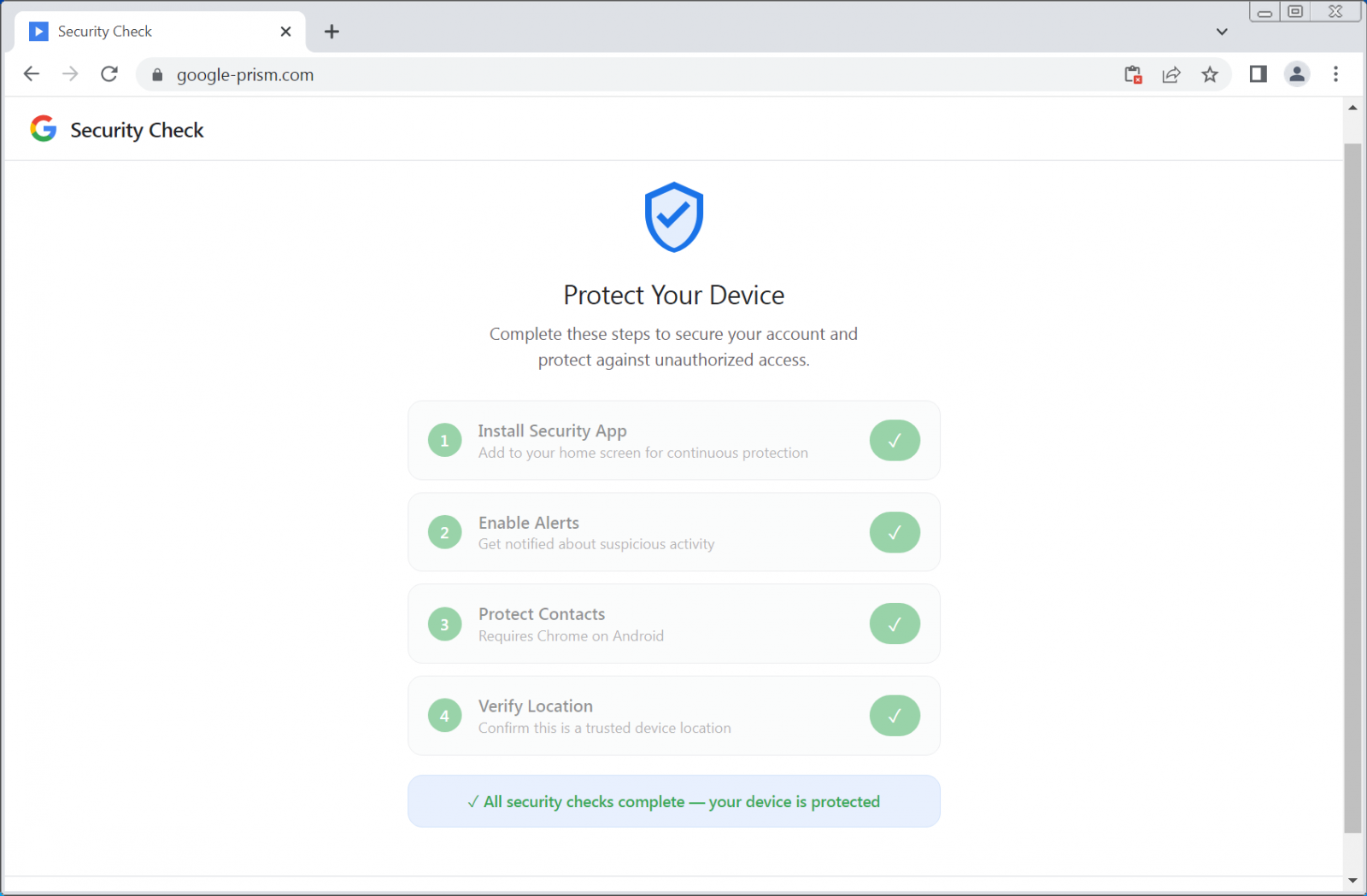
Fake security checks
source: BleepingComputer
The attackers describe the payload as a “critical security update,” claim Google verification, and demand 33 high-risk permissions, including access to SMS messages, call logs, microphone input, contacts, and the accessibility service.
These permissions enable data theft, full device compromise, and financial fraud.
The malicious APK contains several components, including:
- A custom keyboard to capture keystrokes
- A notification listener to access incoming alerts
- A credential interception service targeting autofill data
“To enhance persistence, the APK registers as a device administrator (which can complicate uninstallation), sets a boot receiver to execute on startup, and schedules alarms intended to restart components if terminated,” the researchers say.
Furthermore, researchers Observed modules capable of Overlay-based attacks, suggesting plans for targeted Credential Phishing within specific applications.
By Combining legitimate browser Functionality with effective social engineering, Attackers avoid Exploiting software Vulnerabilities. Instead, they persuade victims to grant every permission required for Malicious activity.
Researchers warn that even without Installing the Android APK, the web app alone can collect contacts, Intercept OTPs, track location, scan internal networks, and proxy browser traffic.
Importantly, Google does not conduct security checks through random web pop-ups or require software installations for Enhanced protection. Users can access all legitimate security tools through their Google Account at myaccount.google.com.
Removal Guidance
To remove the Malicious APK, Malwarebytes advises users to look for an app labeled “Security Check” in the Installed apps list and Uninstall it immediately.
If an app named “System Service” with the package name com.device.sync appears and holds device administrator privileges, users should revoke those permissions under Settings > Security > Device admin apps before uninstalling.
Researchers also provide detailed instructions for removing the Malicious web app from Chromium-based browsers on Windows, including Google Chrome and Microsoft Edge, as well as from Safari.
Finally, they note that while Firefox and Safari significantly restrict many Malicious capabilities, Push Notifications still function, which preserves part of the threat.
Source: BleepingComputer, Ionut Ilascu
Read more at Impreza News